

Skip to navigation

API Keys

View as Markdown

The API key enables you to directly use HiddenLayer’s API endpoints to get the full AI Security Platform experience.

Create API Key

  1. In the HiddenLayer Console, go to Settings > API Keys.

  2. Click + New.

    ![Create API Key button](./images/API Keys 01.png)

  3. Enter a name for the API key, select an expiration, then click Next.
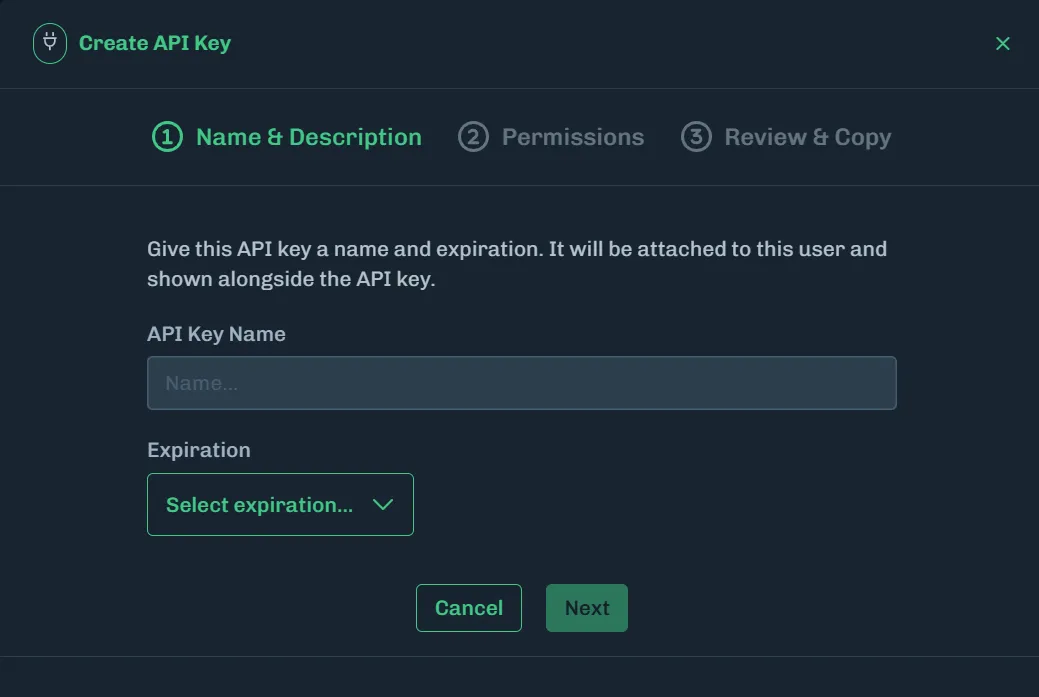
    Enter API Key Name

  4. Select the permissions for each category, then click Create API Key. You can select a combination of Read, Write, and Delete permissions, or click All to allow all permissions for the selected category.

    See the API Permissions and API Resources tables below for more information.

No Permissions Selected

Not selecting any permissions will create an API key with all permissions enabled.
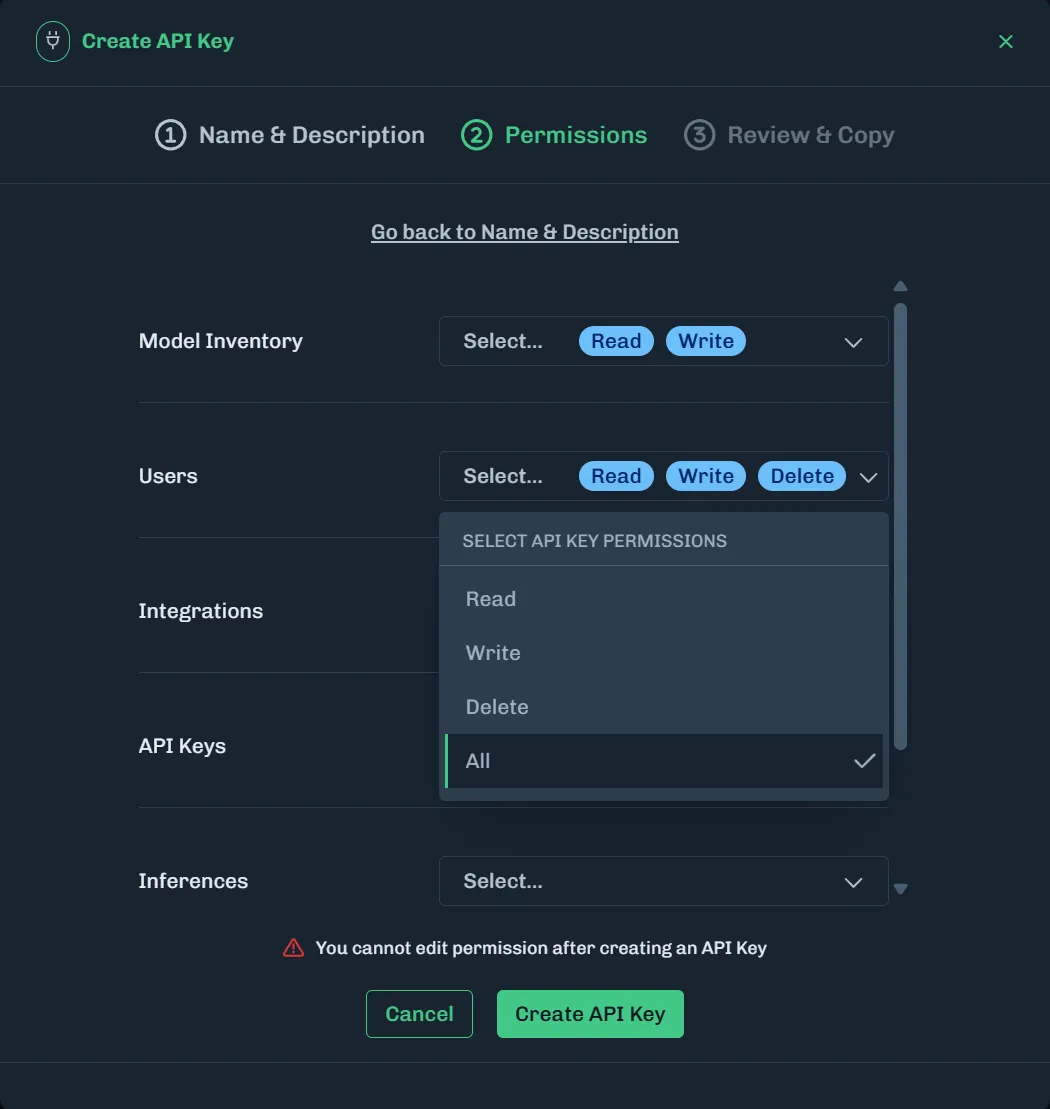
Select API Permissions

  1. A unique API key is generated. The clientID and clientSecret information is displayed. Click on the copy icon and save into a password manager or to a file in a secure location.
Save the ID and Secret

It is important to save this information because you cannot retrieve it in the future.

![client ID and client Secret](./images/API Keys 03.png)

  1. After saving this information, click Close.

Expired API Key

When an API key is created, an expiration is set. When an API key expires, it is securely deleted and automatically removed from the Console.

Delete API Key

  1. On the API Keys page, click the three vertical dots for the API key you want to delete.

    ![Select Action to Delete](./images/API Keys 04.png)

  2. Click Delete. A message displays, asking you to confirm deleting the key.

    ![Message about Deleting Displays](./images/API Keys 05.png)

  3. Click Delete.

When should I create a new API key?

API keys are highly secure assets and should be treated as such. Below are examples of when new API keys need to be created. This list is provided as examples based on best practices, and is not exhaustive. We recommend reviewing your own company policies around such requirements.

ScenarioDescription
Security UpdatesCreate a new API key if you suspect that the current key has been compromised or as part of regular security updates. Regularly rotating API keys is a good security practice.
New Team Members or RolesIf a new team member requires access or if there are changes in roles within the team, generating a new API key can help maintain proper access controls.
Project or Environment ChangesFor different projects or development environments (like staging, production), it’s advisable for you to use separate API keys. This helps in tracking and managing access more effectively.
After Key ExpirationIf the API key has an expiration date, a new key must be created upon its expiry to maintain uninterrupted access to the platform.
Policy or Compliance RequirementsYou may have organizational policies or compliance standards in place that dictate how often API keys should be rotated or renewed.
Lost API KeyAPI keys are not recoverable. If you forget or lose your API key you must create a new one.

API Resources

CategoryDescription
API KeysThe keys for interacting with the HiddenLayer API.
Attack SimulationAutomated security testing for your AI systems.
AuditThe user activity in the Console is recorded in the audit log.
DetectionsA Detection is a grouping of convictions, which are malicious events.
IntegrationsIntegrations with third-party tools, like AWS and Databricks.
InteractionsA detection tool that checks whether AI inputs (prompts) and outputs are safe or malicious.
Model InventoryThe Model Inventory is for model scans.
Model ScannerThe permissions for the AI Runtime Security CLI when deployed in Hybrid Mode.
PoliciesAllows you to remotely configure your instance of Runtime Security. Create policies and apply them to Projects.
ProjectsProvides visibility and control into your AI use cases. You can assign a Policy to a Project.
UsersUsers who have access to the Console.

Some HiddenLayer products require an API key and secret. The following table covers the API Permissions needed for a product deployment or a product feature.

ProductAPI PermissionNotes
AI Attack Simulation- Attack Simulation: Read, Write, DeletePermissions needed for AI Attack Simulation.
AI Runtime Security- Interactions: Read, WritePolicies: Read
AI Supply Chain Security CLI Hybrid Mode- Model Inventory: Read, WriteModel Scanner: Write
AI Supply Chain Security GitHub Action- Model Inventory: Read, WriteModel Scanner: Write
AI Supply Chain Security Azure DevOps Plugin- Model Inventory: Read, WriteModel Scanner: Write
Interactions SaaS- Interactions: Read, WritePermissions needed for Interactions.
Prompt Analyzer (SaaS)- AnyOnly requires an API client ID and secret that are not expired.
Single Sign-On (SSO)- Integrations: Read, Write, DeleteThese are the permissions required to implement and manage an organization’s single sign-on access to the HiddenLayer Console.